Goodbye… for now

After 10 years at Flowing Wells High School I will be taking a new position at Amplify Desmos Math in the fall of 2025. Teaching at FWHS has been one of the toughest challenges and greatest honors I have had in my life. I’ve gotten to meet and teach hundreds of amazing students alongside a dedicated faculty and supportive administration. Thank you to everyone at Flowing Wells who have made my time here so meaningful. Please keep in touch, you can email me at
mxepstein@mxepstein.com.

Sincerely,
-Mx. greg Epstein

Turtle Challenge 2024-2025

When completing your code challenges keep in mind the four characteristics of quality code…

  1. Functional – Accomplishes it’s task every time.
  2. Readable – Easy for a human to read and edit.
  3. Efficient – Executes quickly without unnecessary steps.
  4. Short – Uses the fewest lines of code.

Or put another way…

  1. Does it work? Your code should meet all of the requirements and work in every situation.
  2.  Is it understandable? Your code should be easy for a human to read and understand.
  3. Is it fast? You code should execute and finish as quickly as possible.
  4. Is it short? Your code should be as few line of code as possible.

Submit Your Turtle Challenges here. Please make sure your challenge meets all of the requirements before submitting. Also please make sure your app is titled “Turtle #__” to make it extra clear which challenge you have completed.

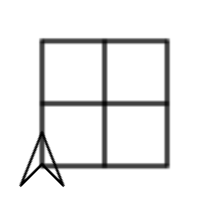
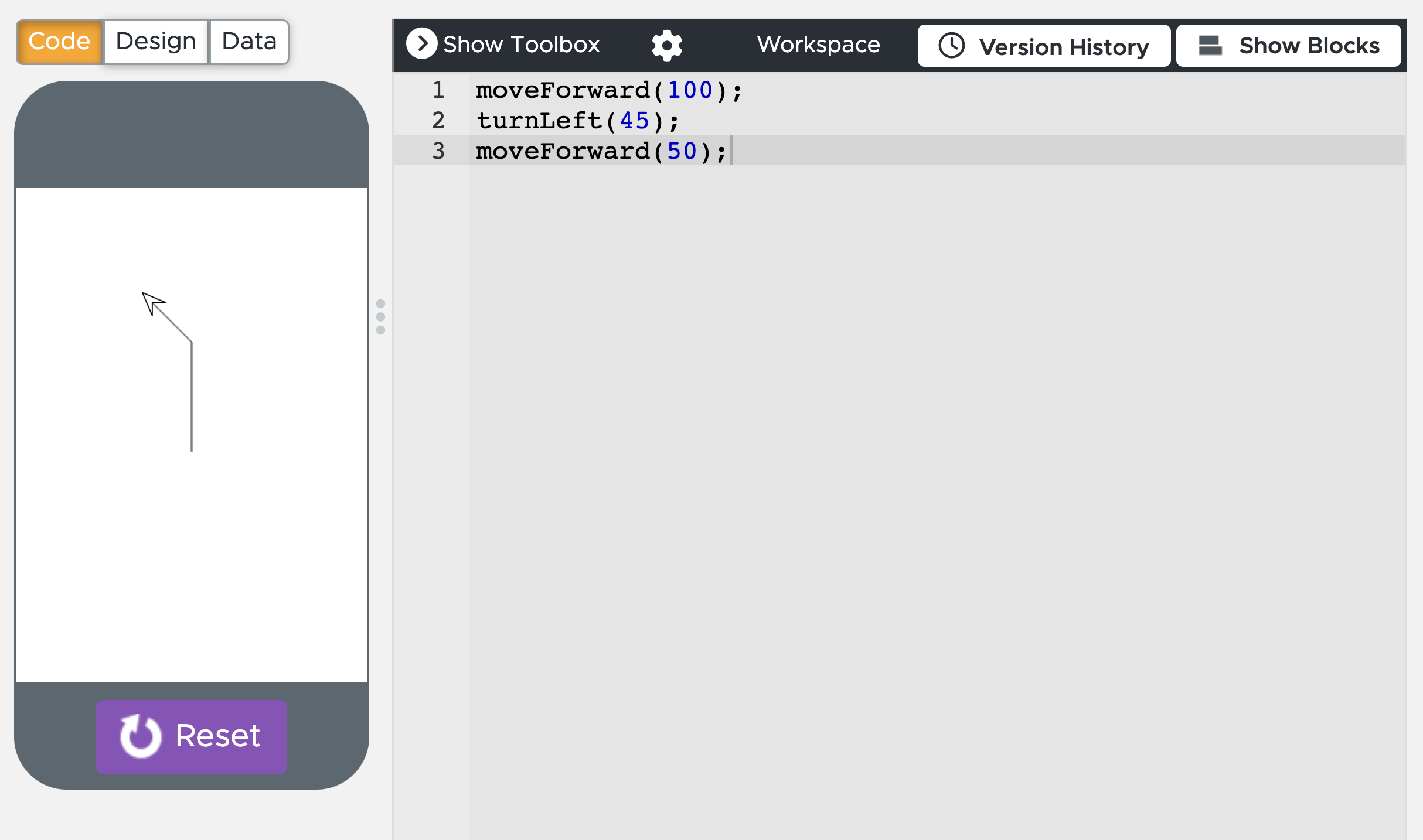
  1. Draw Square – Draw a single square in front of and to the right of the turtle (image).
    • Only use moveForward(),  turnLeft()
    • No loops, No functions, No parameters.
  2. Draw Square – Draw a single square in front of and to the right of the turtle (image)
  3. Draw Square – Draw a single square in front of and to the right of the turtle (image)
  4. Draw Square – Draw a single square in front of and to the right of the turtle (image)
  5. 2×2 Grid – Draw a two by two grid in front of and to the right of the turtle (image).
    • Only use moveForward(),  turnLeft()
    • No loops, No functions, No parameters.
  6. 2×2 Grid – Draw a two by two grid in front of and to the right of the turtle (image).
    • Only use move(), penUp(), penDown()
    • No loops, No functions.
    • You can use “parameters
    • Must be less than 15 lines of code.
  7. 2×2 Grid – Draw a two by two grid in front of and to the right of the turtle (image).
    • Only use moveForward(),  turnLeft()
    • No loops, No parameters.
    • You can use “functions
    • Must be less than 30 lines of code
  8. 2×2 Grid – Draw a two by two grid in front of and to the right of the turtle (image).
    • Only use moveForward(), turnLeft()
    • No functions, No parameters.
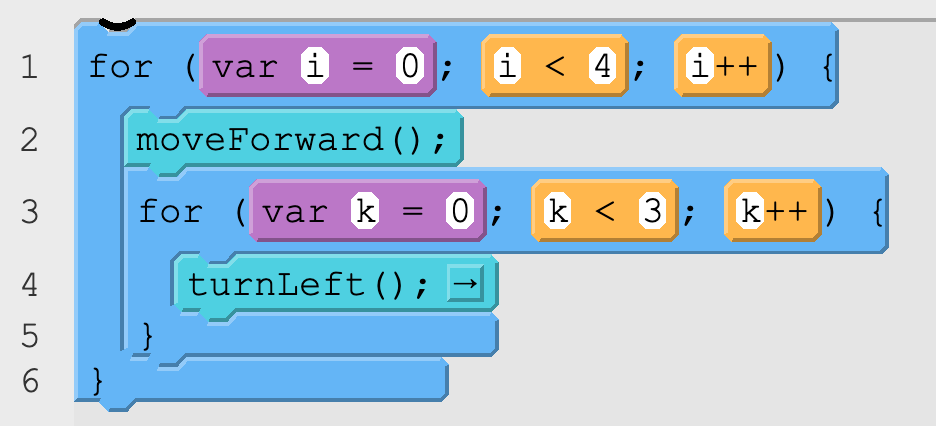
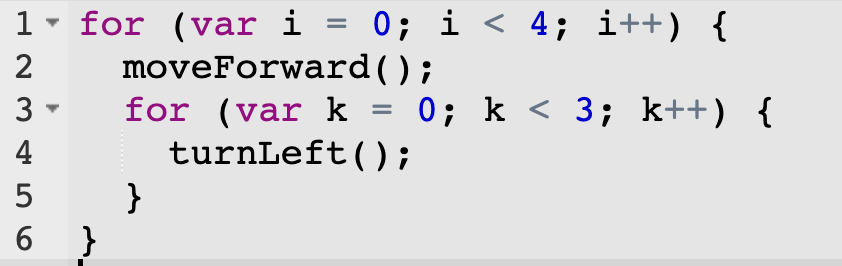
    • You can use “For Loops” (You can put loops inside of other loops, just make sure each loop uses different letters: i, j, k, etc)
    • Must be less than than 20 lines of code.
  9. 3×3 Grid – Draw a three by three grid in front of and to the right of the turtle.
    • Only use moveForward(), turnLeft()
    • No functions, No loops, No parameters.
    • Use less than 55 lines of code (Extra credit if less than 45 lines)
  10. 3×3 Grid – Draw a three by three grid in front of and to the right of the turtle.
    • Only use move(), penUp(), penDown()
    • No loops, No functions.
    • You can use “parameters” (example: move(50,25) )
    • Use less than 25 lines of code (Extra credit if less than 15 lines)
  11. 3×3 Grid – Draw a three by three grid in front of and to the right of the turtle (image).
    • Only use moveForward(), turnLeft()
    • No loops, No parameters
    • You can use “Functions
    • Use less than 35 lines of code (Extra extra credit if less than 20 lines of code).
  12. 3×3 Grid – Draw a three by three grid in front of and to the right of the turtle.
    • Only use moveForward(), turnLeft()
    • No functions, No parameters.
    • You can use “For Loops
    • Use less than 35 lines of code (Extra credit if less than 20 lines)
  13. Draw A Polygon – Write a function drawRegularPolygon(numberOfSides, sideLength) that draws a regular polygon with a given number of sides and a given side length.
  14. Draw Square Grid – Write a function drawSquareGrid(unitSize,rows,columns) that draws a grid of squares in front of and to the right of the turtle where each little square has a side length of “unitSize” and the grid is “rows” units tall and “columns” units wide. The turtle should end at the position and orientation where it started. View Example Code.
  15. Draw a triangle inside a rectangle – Write a function drawTriangleInRectangle(width, height) that draws a rectangle with a base length of “width” and a height of “height”. This should all be draw in front of, and to the right of, the turtle. The turtle should end where is began. You may use whatever commands or functions that you would like. View Example (click view code).
    • Extra Credit: Do this by only moving the turtle using the move command
  16. Extra Credit: Draw a square inside of a circle. drawSquareInsideCircle(radius). Then make a new function that draws a regular polygon inside a circle  drawPolygonInsideCircle(radius, numberOfSides)
  17. Draw a square pyramid – Write a function drawSquarePyramid(baseLength, numberOfLayers). Each square should have half the side length of the square below. View Example/Template here (click view code).
  18. Extra Credit: Draw a dot surrounded by circles (minimum of 3). drawDotWithCircles(dotRadius, numberOfCircles) (see example)
  19. Draw a Pyramid of Circles – Write a function drawPyramidOfCircles(radius, numberOfBaseCircles) that draws a pyramid made of circles (see example)
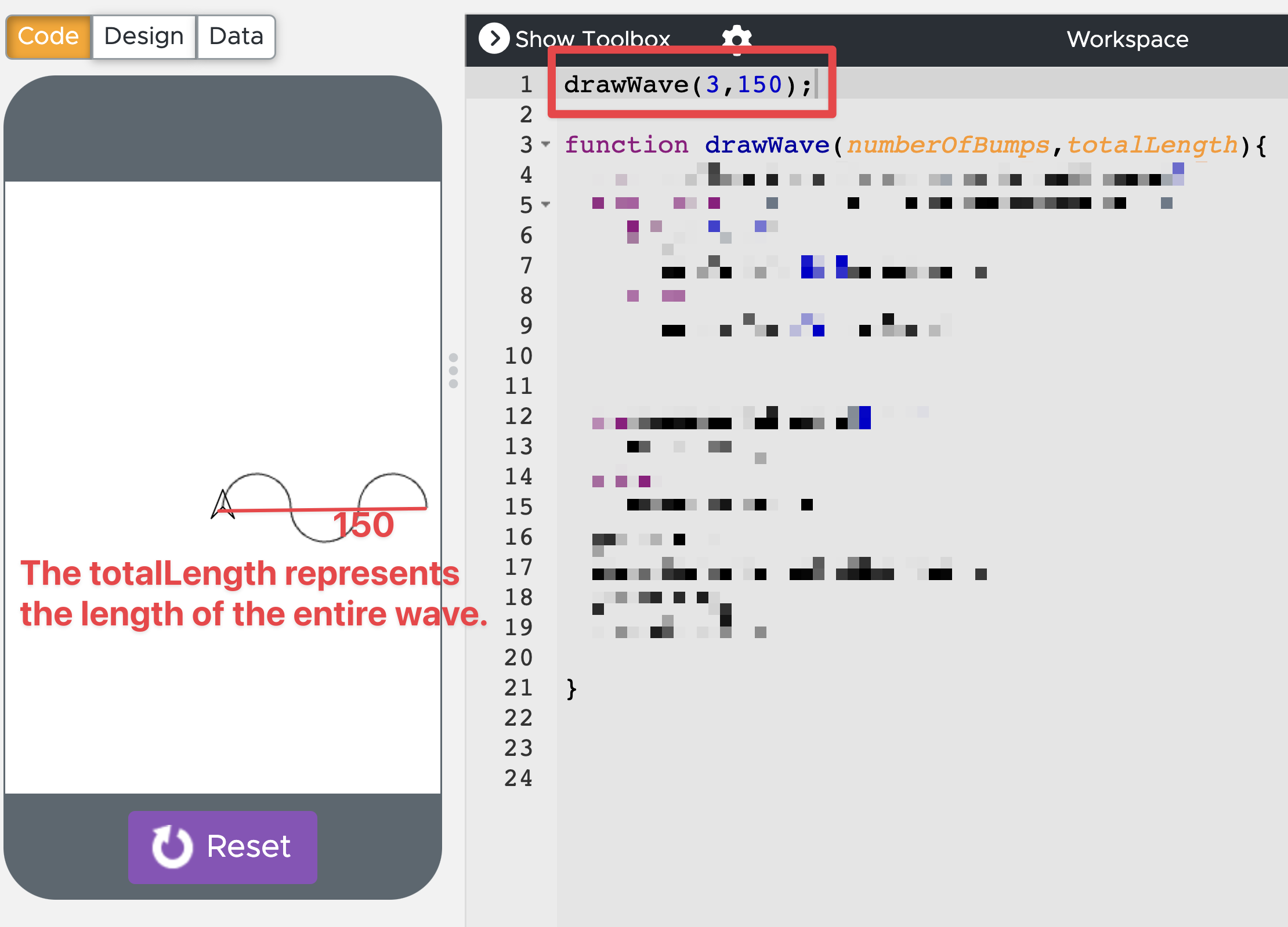
  20. Draw a Wave – Write a function drawWave(numberOfBumps, totalLength). See an example here. Your turtle should end in the same position and orientation as where is started.
  21. Draw Shaded Rectangle – Write a function drawShadedRectangle(width, height) that draws a rectangle that is shaded in with a random color. See example here. Your turtle should end in the same position and orientation as where is started. You should do this with the regular Turtle commands (nothing from the canvas library).
  22. Draw Bullseye – Write a function drawBullseye(innerRadius, numberOfCircles, whiteWidth) that draws a circle with an innerRadius and draws other larger circles that have a whiteWidth blank area in between them. See an example here.
  23. Optional: Screensaver – Use the turtle to make a screensaver screen that you like. It can look like however you’d like. It is a chance to be creative (Example A, Example B)

Guerilla Open Access Manifesto

Information is power. But like all power, there are those who want to keep it for themselves. The world’s entire scientific and cultural heritage, published over centuries in books and journals, is increasingly being digitized and locked up by a handful of private corporations. Want to read the papers featuring the most famous results of the sciences? You’ll need to send enormous amounts to publishers like Reed Elsevier.

There are those struggling to change this. The Open Access Movement has fought valiantly to ensure that scientists do not sign their copyrights away but instead ensure their work is published on the Internet, under terms that allow anyone to access it. But even under the best scenarios, their work will only apply to things published in the future. Everything up until now will have been lost.

That is too high a price to pay. Forcing academics to pay money to read the work of their colleagues? Scanning entire libraries but only allowing the folks at Google to read them? Providing scientific articles to those at elite universities in the First World, but not to children in the Global South? It’s outrageous and unacceptable.

“I agree,” many say, “but what can we do? The companies hold the copyrights, they make enormous amounts of money by charging for access, and it’s perfectly legal — there’s nothing we can do to stop them.” But there is something we can, something that’s already being done: we can fight back.

Those with access to these resources — students, librarians, scientists — you have been given a privilege. You get to feed at this banquet of knowledge while the rest of the world is locked out. But you need not — indeed, morally, you cannot — keep this privilege for yourselves. You have a duty to share it with the world. And you have: trading passwords with colleagues, filling download requests for friends.

Meanwhile, those who have been locked out are not standing idly by. You have been sneaking through holes and climbing over fences, liberating the information locked up by the publishers and sharing them with your friends.

But all of this action goes on in the dark, hidden underground. It’s called stealing or piracy, as if sharing a wealth of knowledge were the moral equivalent of plundering a ship and murdering its crew. But sharing isn’t immoral — it’s a moral imperative. Only those blinded by greed would refuse to let a friend make a copy.

Large corporations, of course, are blinded by greed. The laws under which they operate require it — their shareholders would revolt at anything less. And the politicians they have bought off back them, passing laws giving them the exclusive power to decide who can make copies.

There is no justice in following unjust laws. It’s time to come into the light and, in the grand tradition of civil disobedience, declare our opposition to this private theft of public culture.

We need to take information, wherever it is stored, make our copies and share them with the world. We need to take stuff that’s out of copyright and add it to the archive. We need to buy secret databases and put them on the Web. We need to download scientific journals and upload them to file sharing networks. We need to fight for Guerilla Open Access.

With enough of us, around the world, we’ll not just send a strong message opposing the privatization of knowledge — we’ll make it a thing of the past. Will you join us?

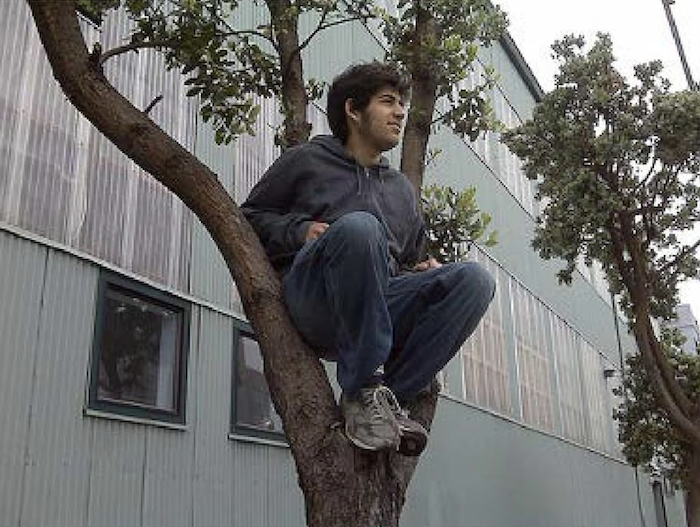
Aaron Swartz
July 2008, Eremo, Italy
Robot Navigation

Available commands are…

  • MOVE_FORWARD();
  • ROTATE_RIGHT();
  • MOVE_FORWARD();
  • CAN_MOVE(“direction”);

Choices for “direction” are…

  • “forward”
  • “backward”
  • “right”
  • “left”

Example Code…

if(CAN_MOVE(“right”)){
   ROTATE_RIGHT();
   MOVE_FORWARD();
}

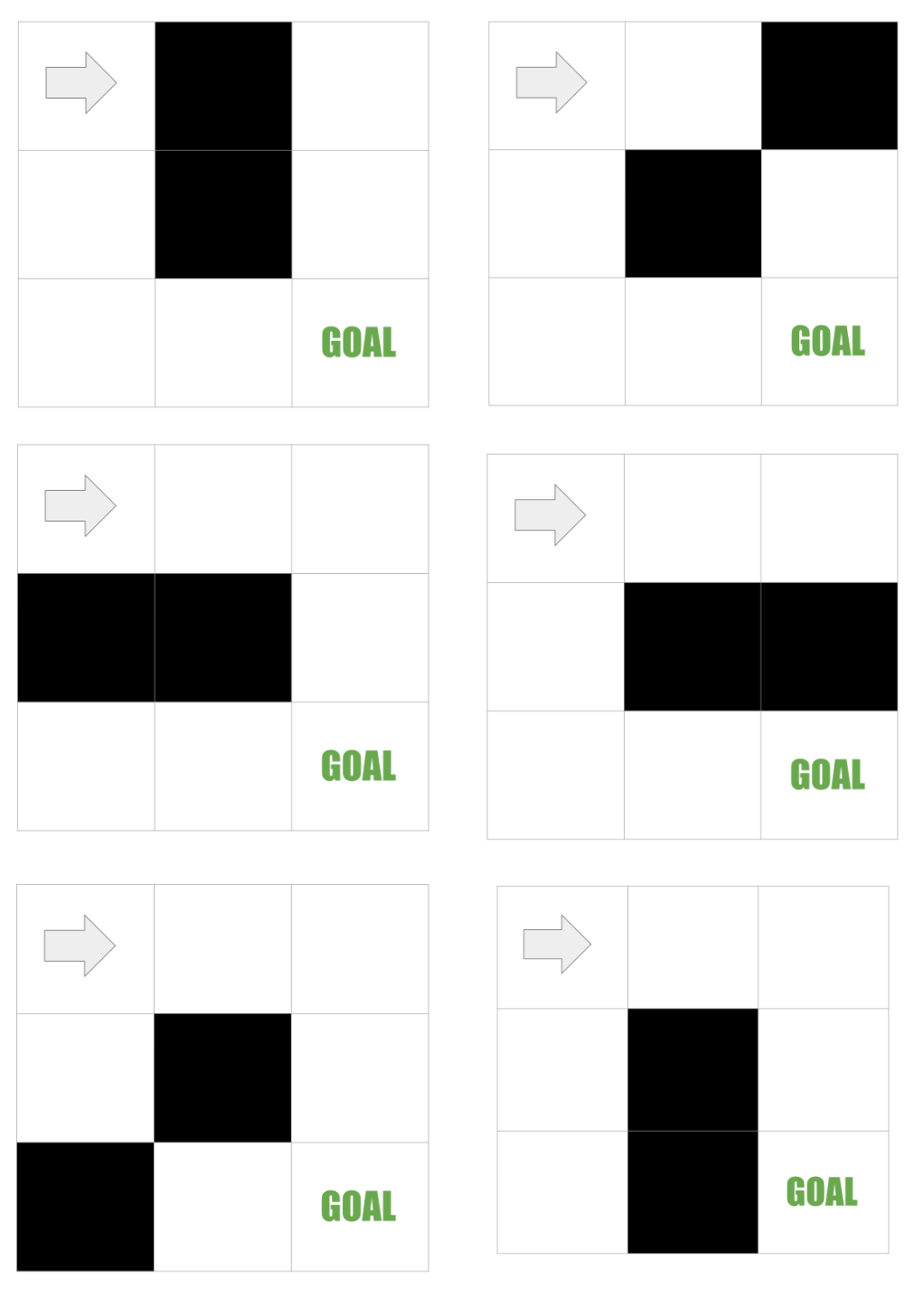
Write one code that can guide the robot from the top left square to the bottom right square no matter which of the 6 situations the robot finds itself in.

You can test your code here. To make things easier for you I built and IDE here to help you develop your code.

Donate

Would you like to donate to Mx. Epstein’s classroom? Please consider using one of the following methods…

You donation will go toward things like…

  • Buying doughnuts to encourage participation in our upcaoming COVID-19 vaccine drive.
  • Buying math and logic games to give students a positive attitude toward mathematics.
  • Buying prizes for the prize box which encourages students to go above and beyond.

Thank you for you donation!